How I Create Viral Room Transformation Videos with OpenClaw🦞
Feb 09, 2026
Here’s how you can generate videos using OpenClaw.
When I first saw an AI-generated room renovation video, I genuinely thought it was real footage. Construction workers pouring epoxy floors, sparks flying, a time-lapse transformation from raw concrete to a luxury Dubai penthouse overlooking the Burj Khalifa — everything flowed so seamlessly that I didn’t even think it was AI-generated. This is what the final result looks like, and all of it was done with a single prompt using OpenClaw. Let me show you exactly how this works.
We start with OpenClaw. You send in your first prompt — something like “create a villa in Dubai with the Burj Khalifa view” — and this becomes your AI agent. This agent breaks up the problem into different parts, and the first part is image generation. In order to do image generation, we first need to create the prompts, so we create four prompts to create four images. Each of these prompts then gets sent into the image generator, which generates four images.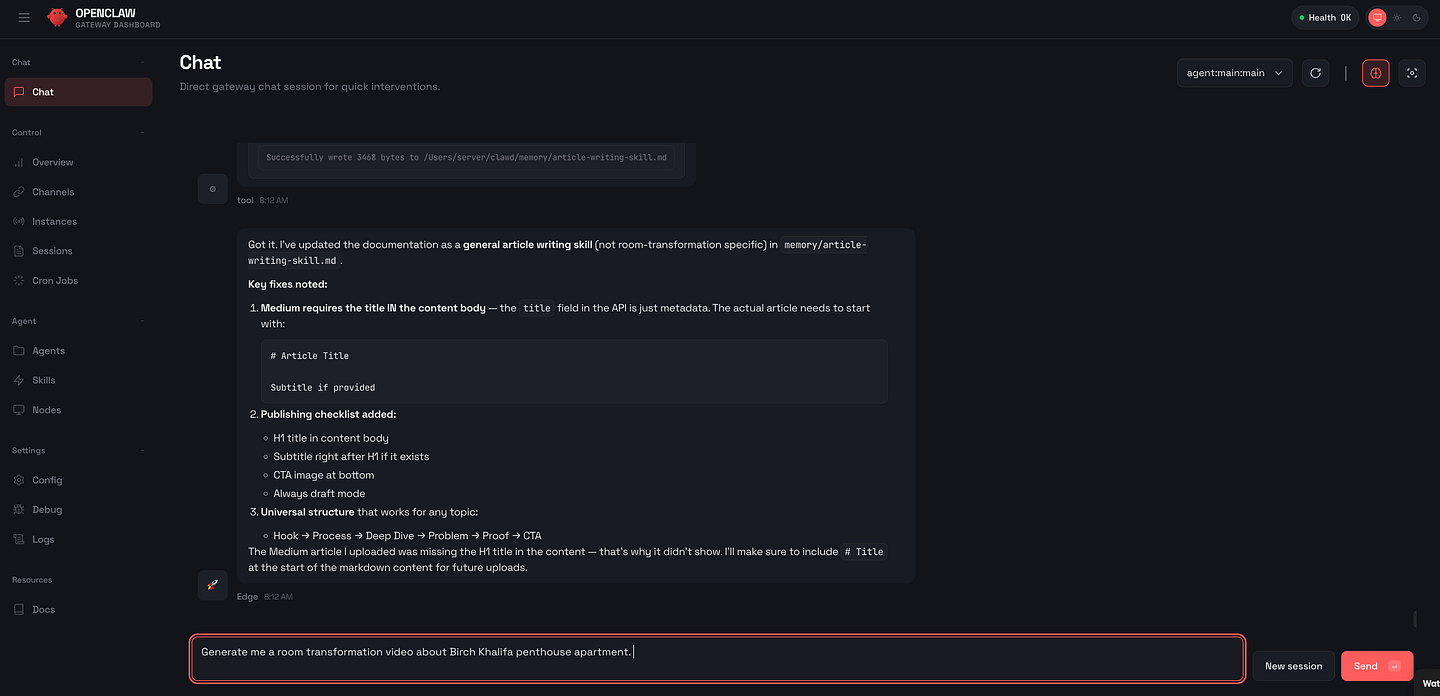
What we end up with is prompt one, two, three, four, and image one, two, three, four. When we generate them, we get images like this: first, a construction site that looks very raw, then people pouring the floor, and if you want to get creative you can have a whole lot of designs for the floor, and then finally we have our finished image. The reason I put it in this cascade format is because image one and image two are used to generate image three, and image three is used to generate image four. We’re using Google’s Nano Banana to edit one image into the next into the next, and this is what creates that visual consistency where everything looks like it belongs in the same room.
https://youtube.com/shorts/CpC7AM8uyXs?feature=share
Once we have our images, we can proceed to generate videos. Four images become three videos because we use start and end frames — image one and image two will become video one, image two and image three will become video two, and image three and image four will become video three. That’s all it takes to create viral room transformation videos.
Let’s look at the prompts we used. Going back to OpenClaw, how do we set this up? OpenClaw does all of this using a skill that we create. The skill.md file tells OpenClaw exactly how to execute this entire workflow in one go, and you can get the skill from our Corporate Automation Library where you can get the free guide as well as our OpenClaw automations that we are just starting to expand on.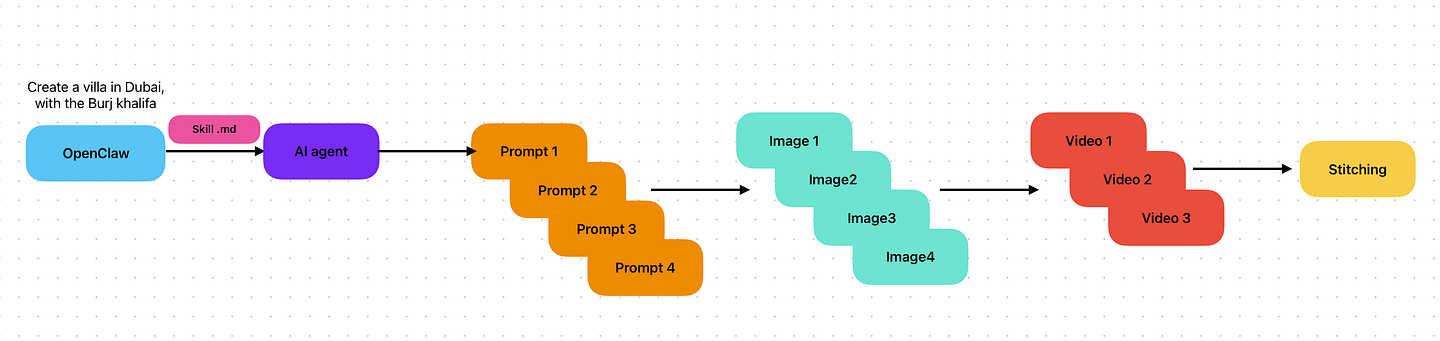
We currently have over 1,000 people in our Corporate Automation Library and over 649 members in our WhatsApp community. Here’s what OpenClaw does: it creates a trigger, which is the topic or keyword that you give it, it generates all of the prompts, images, and videos automatically, it assembles — so it stitches the clips and adds music if you want to — and then once you are happy with it, it can automatically publish to your drive or social media.
For image one, the construction site, this is the underlying prompt. The prompt that I give to OpenClaw, and it will take the underlying prompt and embed whatever keywords I’ve given it. This is great for Instagram: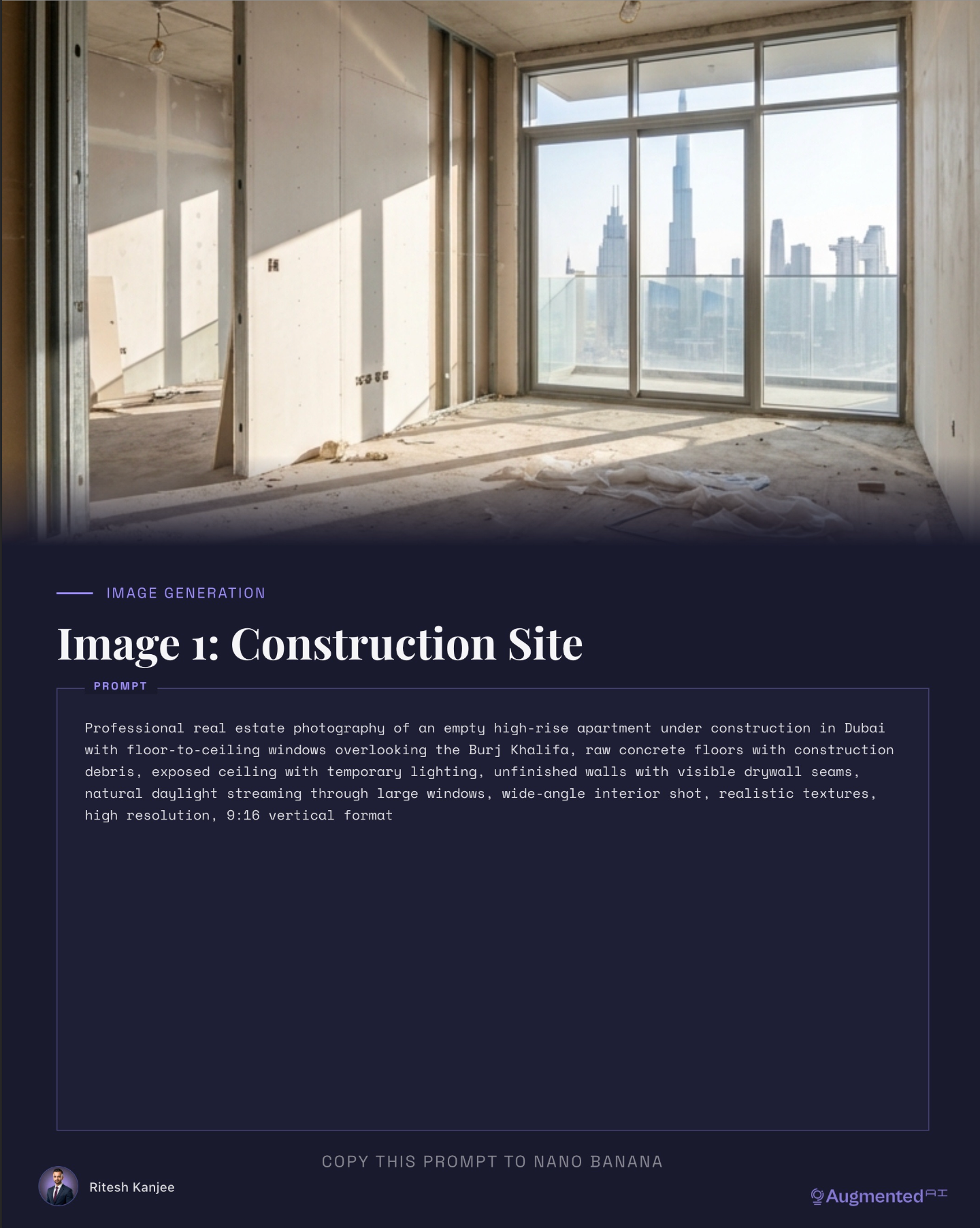
Professional real estate photography of an empty high-rise apartment under construction in Dubai with floor-to-ceiling windows overlooking the Burj Khalifa. Raw concrete floors with construction debris exposing the ceiling with temporary lighting. Unfinished walls with visible drywall seams. Natural daylight streaming through large windows, wide angle shot, realistic textures, and high resolution in a 9x16 vertical format.
For image two, the workers, we feed in image one as the reference:
Professional real estate photography of a high-rise apartment in Dubai under construction. Floor-to-ceiling windows with the Burj Khalifa view. Construction workers in orange safety vests with white hard hats actively grinding the concrete floor, sparks flying, dust particles in the air, illuminated by sunbeams. Dynamic action shot, construction equipment visible, raw industrial aesthetics and wide angle interior shot. Realistic textures, high resolution and 9x16 vertical format.
For image three, the epoxy floor, this is the magical moment because people love the epoxy floor installation type:
Professional real estate photography of a high-rise apartment in Dubai, floor to ceiling windows with Burj Khalifa view. Stunning metallic epoxy floor with swirling charcoal, silver, gold, blue marble patterns — you can change that to whatever you want — but a mirror-like reflective surface, freshly painted white walls. Recessed ceiling lights, empty unfurnished space and so on.
It’s important to note that we use Google’s Nano Banana to use image two as reference for image three. And then finally for image four, the finished product:
Professional real estate photography of the complete apartment in Dubai at night. Floor to ceiling with breathtaking views illuminated by the Burj Khalifa. Modern white leather sofa with LED accent lighting, glass coffee table, smart home control panel, ambient purple and blue mood lighting, sleek modern interior, cinematic atmosphere and realistic textures.
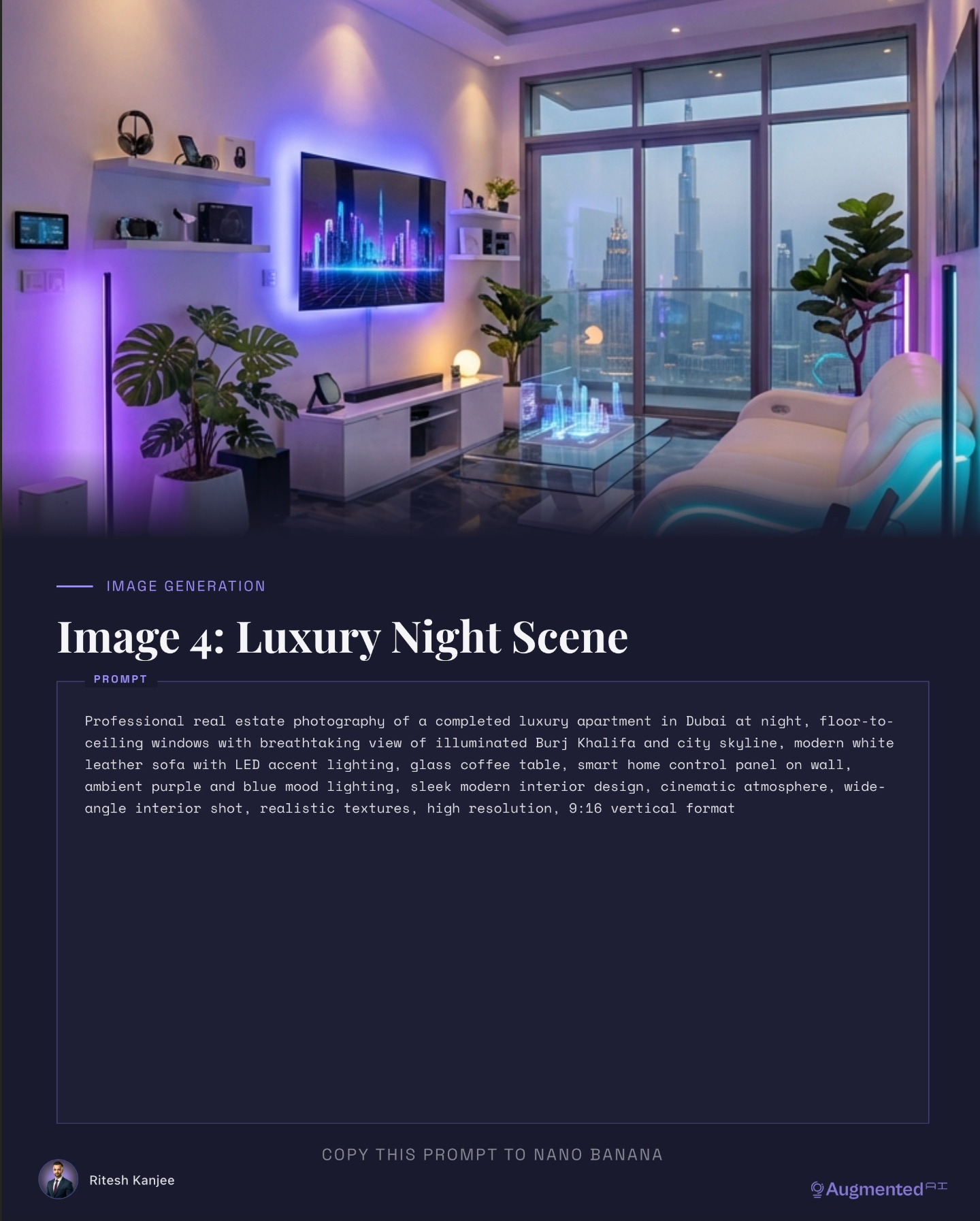
As you can see it looks pretty beautiful, and to see that whole transformation is pretty amazing.
Now we have to generate our videos. We’ve got all of our images that we have set — this is the end frame. For video one, construction to grinding, this is what we use: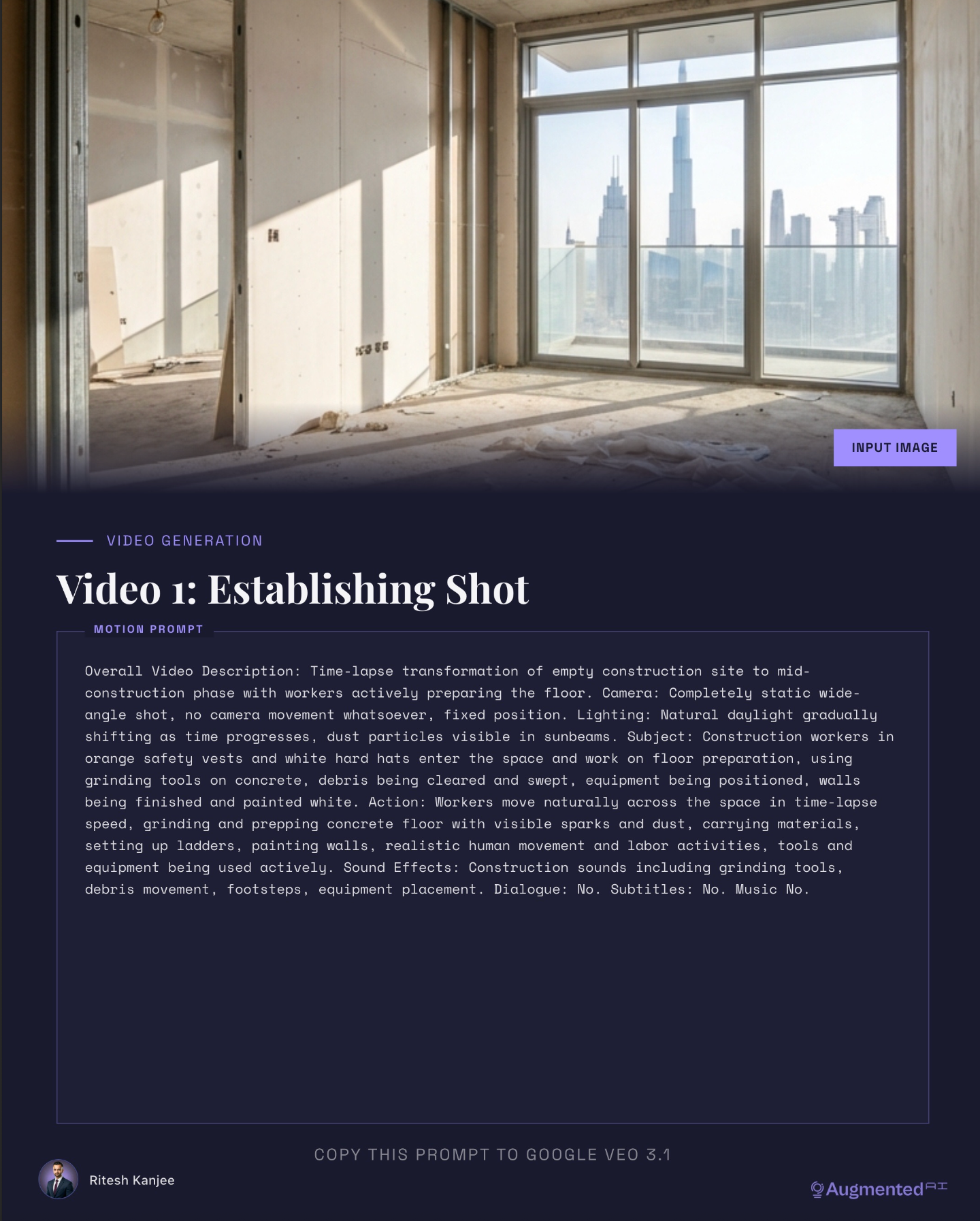
Time-lapse transformation of an empty construction site to mid construction phase with workers actively preparing the floor. With regards to the camera, completely static wide angle shot. No camera movement whatsoever. Fixed position. Lighting, natural daylight, gradually shifting as time progresses. Dust particles visible in the sunbeams. Subject: construction workers in orange safety vests and hard hats entering the space and working on floor preparation using grinding tools on concrete. Debris are being cleared and swept. Equipment being positioned, walls being finished, and workers moving naturally across space in the time-lapse speed, grinding and prepping concrete floors with visible sparks and dust. Sound effects including construction sounds, including grinding tools, debris movements, footsteps, equipment placements, and we told it explicitly that there should not be any dialogue, no subtitles or text. And preferably no music. We can always overlay some music if we want to. The reason why we don’t put music is because we don’t want the music to be changing from one scene to the other. We rather have our own track overlaid on all videos.
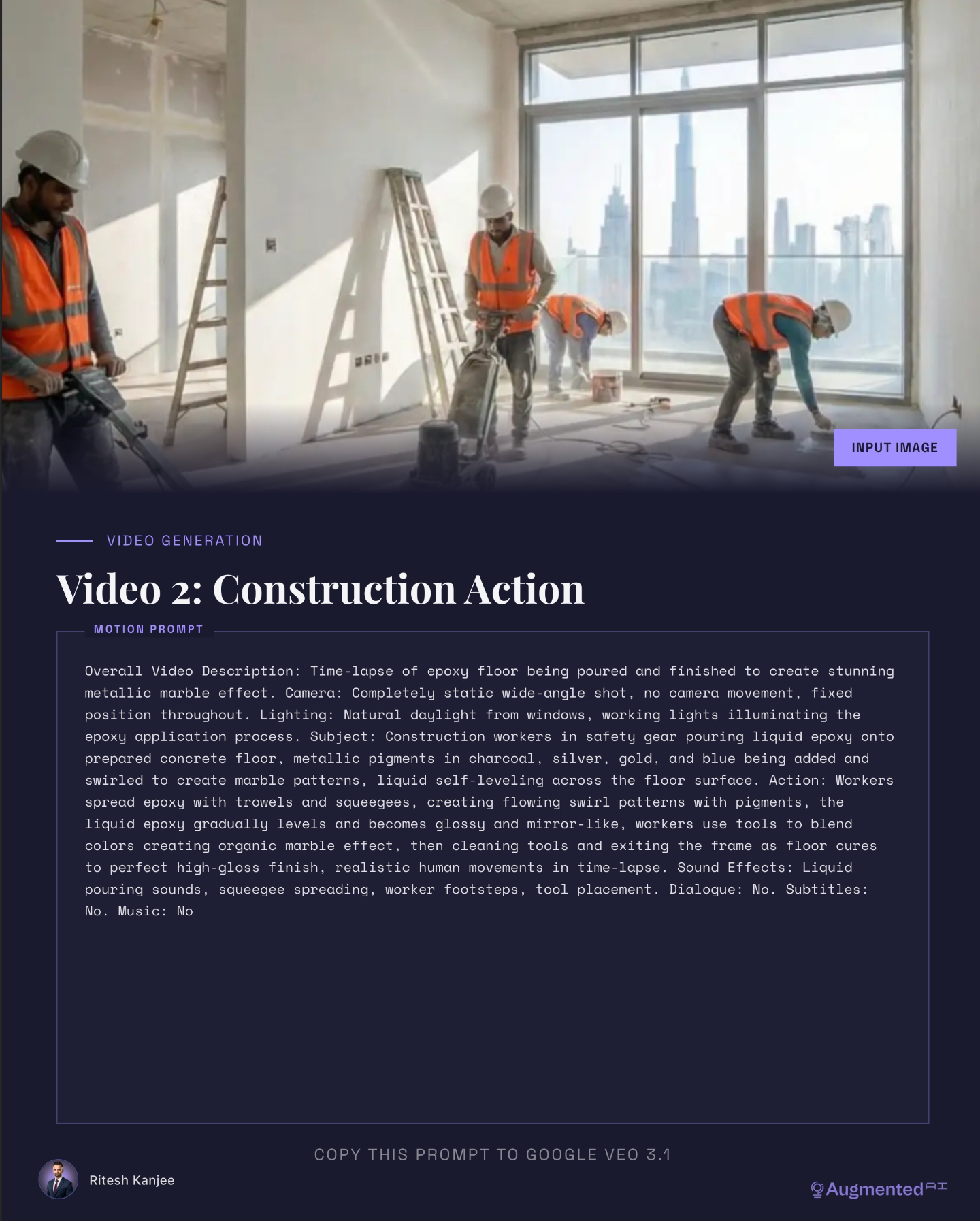
For video two, the epoxy pour, this is the construction action with the same time-lapse effect. We have epoxy being poured on the floor over the finished concrete to create that metallic marble effect:
The camera completely static and wide angle, no camera movement, fixed position throughout. We definitely need to mention that, otherwise the camera will move on its own if you don’t explicitly mention that. Lighting: natural daylight, working lights illuminating the epoxy floor. Subject: construction workers in their safety vests pouring liquid epoxy onto the prepared concrete floor. Metallic pigments in charcoal, silver and gold and blue are being added and swirled into a marble pattern. Liquid self-leveling across the floor. Workers spreading epoxy with trowels and creating a flow swirl pattern with pigments. The liquid epoxy gradually levels and becomes glossy and a mirror-like finish. Workers use tools to blend colors and create organic marble effect. And then they use cleaning tools for which they exit the frame as the floor cures to a perfect high gloss finish. We should also mention that there’s realistic human movements in the time lapse, and then we explicitly mention the sound effects, which is liquid pouring sounds, spreading, workers’ footsteps, tool placement, with no dialogue, no subtitles and no music.
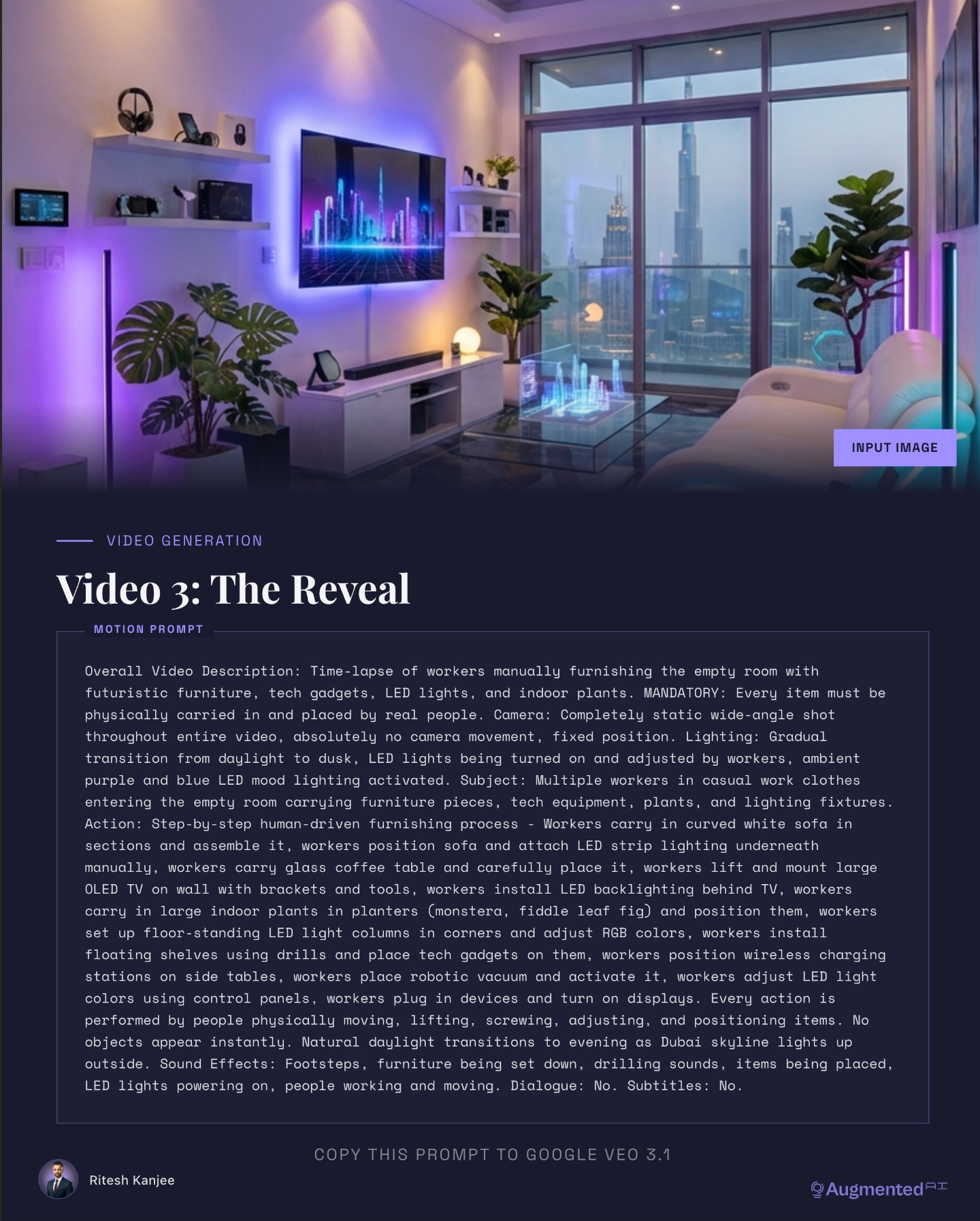
For video three, furnishing the space, this one is quite long so I’ll give a quick summary. We mentioned the same time-lapse, we mentioned people placing the LED, putting up the TV, putting down the tables and all of these other elements. I did mention in my initial prompt to have a futuristic look of a Dubai villa, so that’s why it placed a hologram over here, which I think I should not include next time. I also told it to put some plants in, have the robotic vacuum over here, and in terms of sound effects: footsteps, furniture being set down, drilling sounds and items being placed. All of this was used in Google’s VEO3.
If you want to copy all of the prompts, there’ll be a link down below where you’ll be taken to our Corporate Automation Library. We have a section called OpenClaw Automations, and under here you’ll get all of the prompts that you can copy and paste. Once we have the videos, we import them, we trim them, and then finally export them. We can use this using either CapCut, Premiere Pro or Final Cut Pro.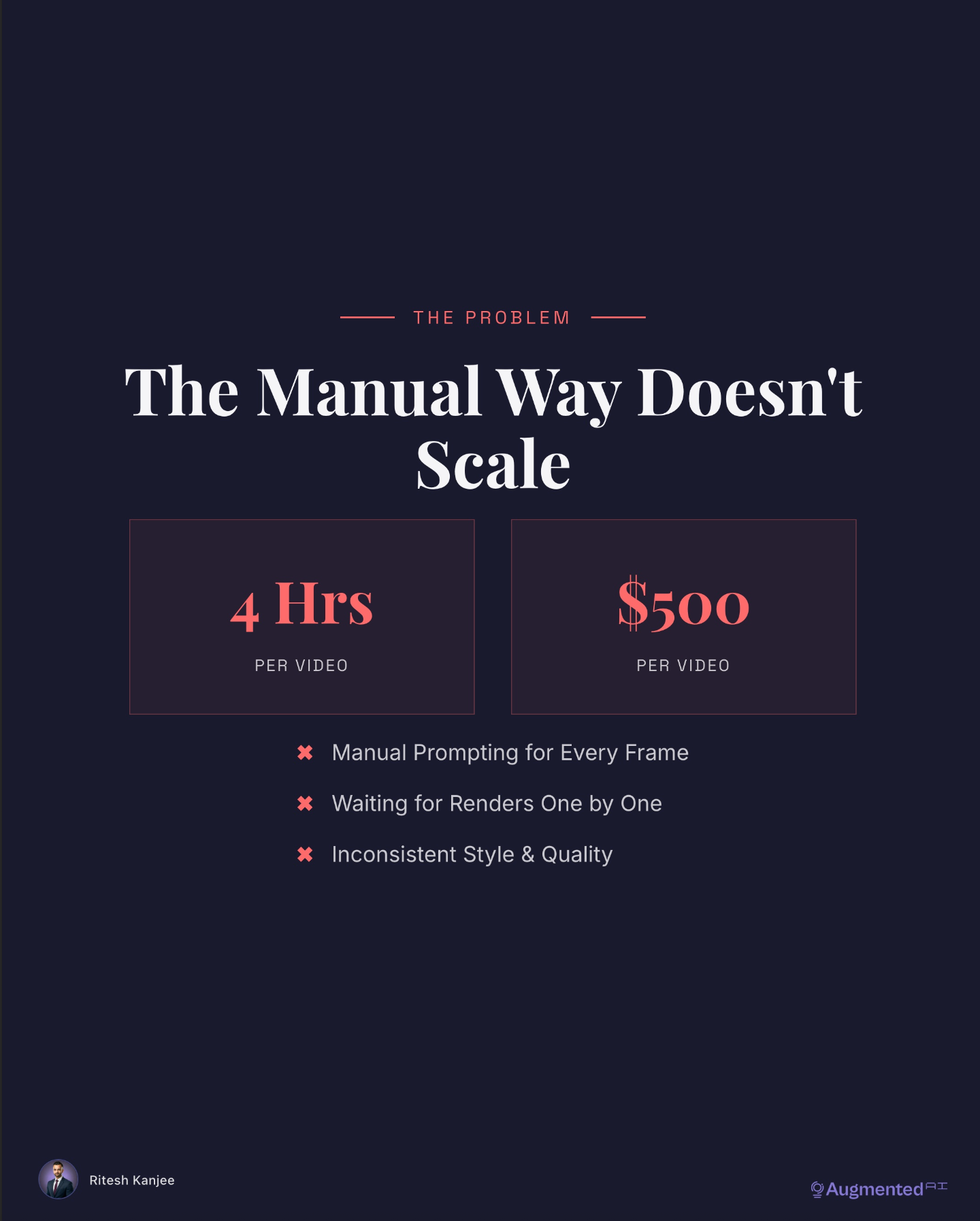
If you don’t use OpenClaw, this might take you some time because number one you have to generate the images and generate the videos which can take a lot of time. Considering your labor as well as the image generation costs, it could end up to be about $500 per video. And let alone waiting for the renders one by one and inconsistent style and quality — that can be a real problem.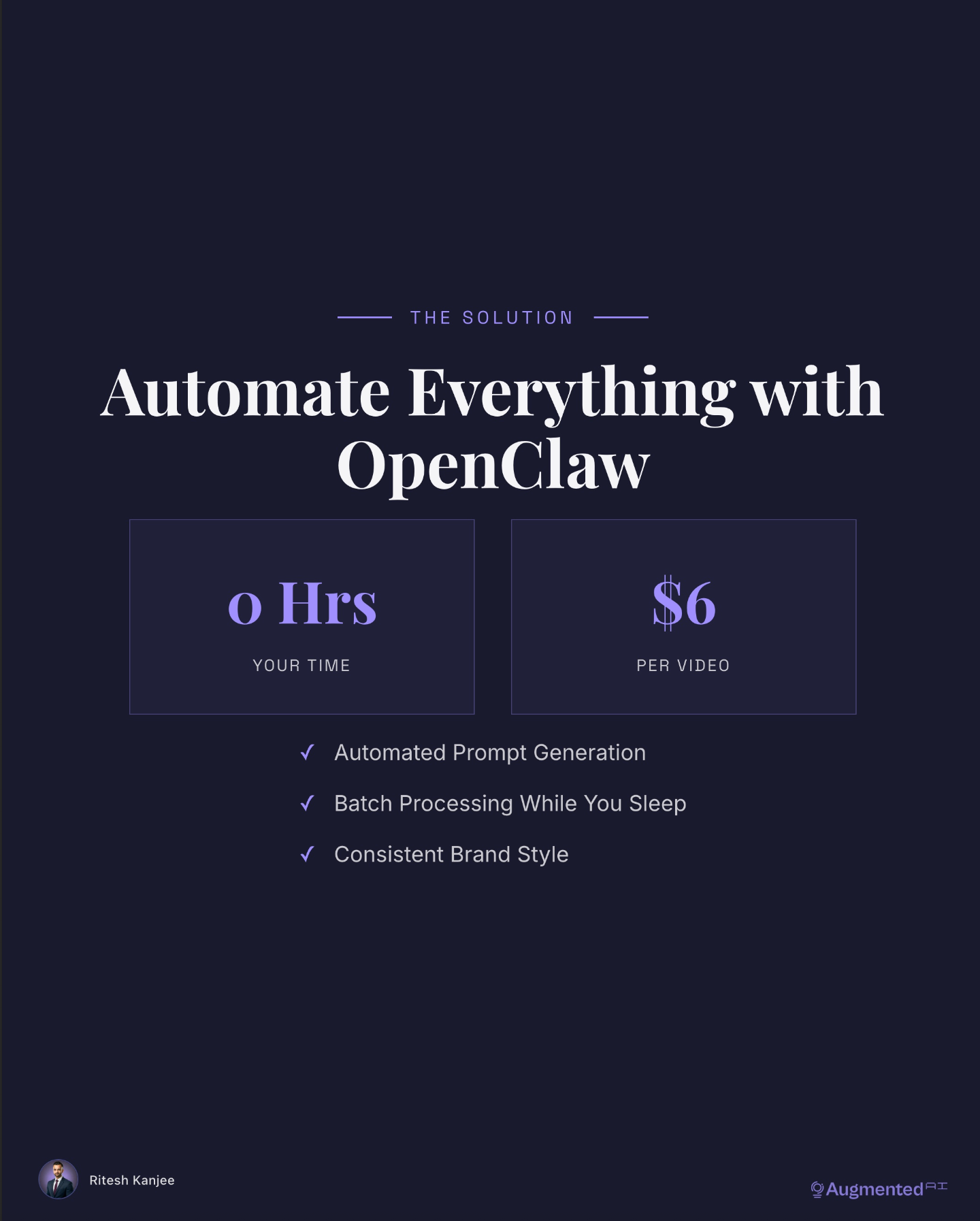
This is where OpenClaw comes in. You just create one prompt. This can be maybe one sentence at max. You set it and forget it. The agent in the background will handle all of this, including the prompting, the image and video generation, and finally the stitching, which takes all of these videos and creates one singular video that you can use to upload to social media. That’s the entire process. And it only costs about six dollars, including the human time as well.
Now we’re going back to OpenClaw to show you that this actually works. I’m going to prompt: “Create a villa in Bali with a modern contemporary look. The floor is made out of beach sand and sea elements, all epoxied onto the floor, looking beautiful and stunning like as if you were on a beach. There is a blend of natural and modern elements in this room with a beautiful scenic view overlooking the beach. There’s tall glass windows from floor to ceiling and let this look amazing.” So I got my prompt, let’s send it off.
Now it’s coming back to say: “I will create a stunning Bali villa transformation video for you. This will take 5 to 20 minutes.” Now you can see that all of the images are done. We have created all of the videos and then we have our final video. Check it out: workers placing furniture, bringing chairs in, setting everything up.
Wow, this looks amazing.
To get the free guide and prompts to create videos like this, and also to get the full OpenClaw skill that does all of it for you, join our Corporate Automation Library at the link down below.
Ready to automate your video creation?
→ Get the Free Room Transformation Guide — All prompts and full workflow breakdown → Explore CAL Pro — Full automation library (60+ n8n workflows including this video system) → Book CAL Max — Done-for-you automation + advisory for high-value operators
Over 1,000 people are already in our Corporate Automation Library, and 649+ members are sharing wins in our WhatsApp community. Stop rendering videos one by one. Start automating the entire pipeline.
Want a villa in Paris? A penthouse in Tokyo? A desert retreat in Morocco? One prompt. One video. That’s the whole point.
From 80-Hour Weeks to 4-Hour Workflows
Get my Corporate Automation Starter Pack and discover how I automated my way from burnout to freedom. Includes the AI maturity audit + ready-to-deploy n8n workflows that save hours every day.
We hate SPAM. We will never sell your information, for any reason.